

Cloud connectors
A connection is a credential that lets Geass call another service on your behalf. Geass has four: AWS (S3 buckets and database backups), PlanetScale (a managed database), Cloudflare (DNS and an optional tunnel for the dashboard) and GitHub (repository deploys). You manage them in Settings → Connectors, which shows one card for each. The button on a card reads Configure; on the AWS, PlanetScale and Cloudflare cards it reads Manage once a connection exists. Servers are different: you add them over SSH, and Geass does not talk to your server provider (see Servers are not connections).
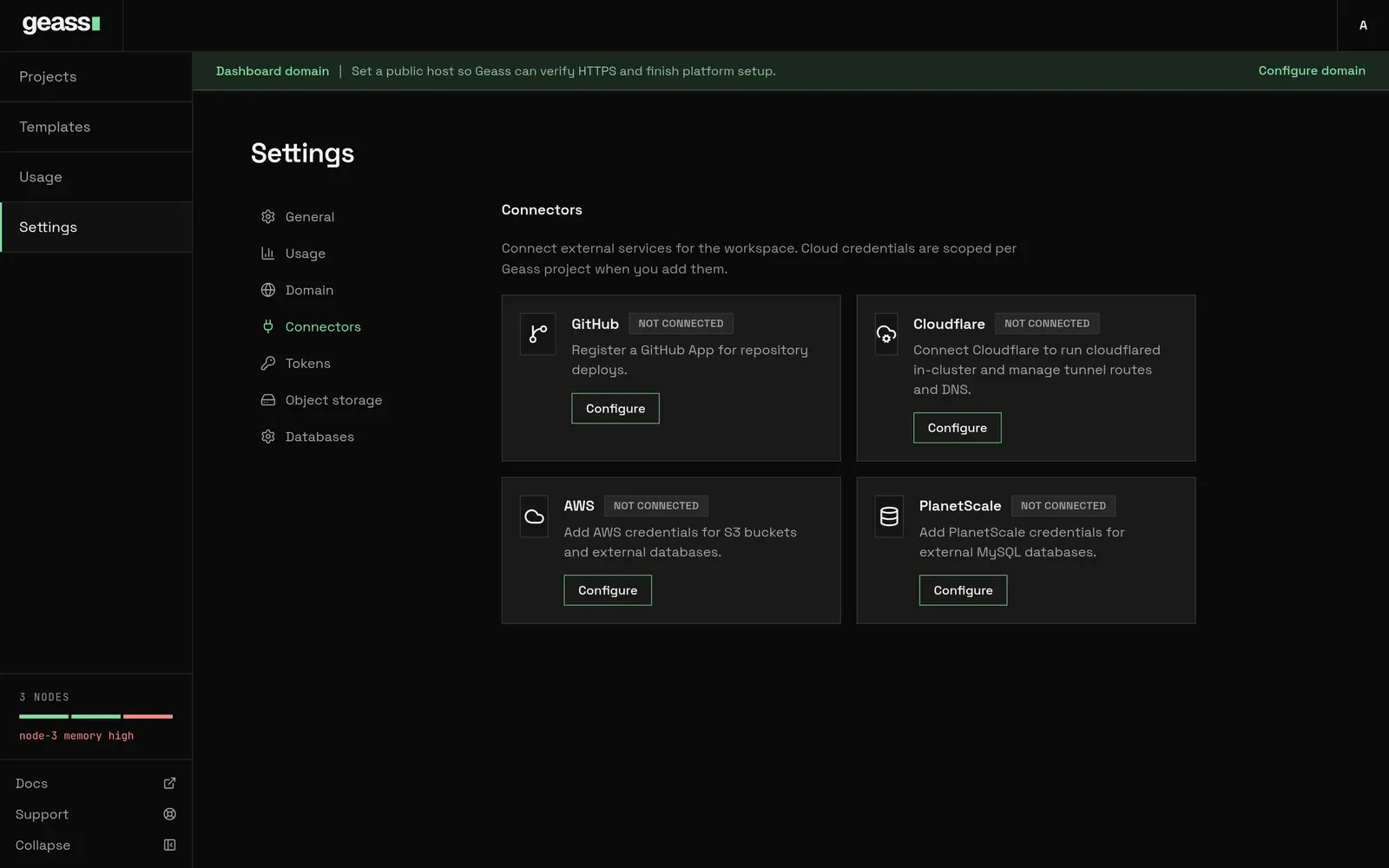 Screenshot with example data.
The four connectors
Section titled “The four connectors”| Connector | Used for | Scope | Credentials | Stored in |
|---|---|---|---|---|
| AWS | S3 buckets, project database backups | One project | Access key ID, secret access key, region | Secret <name>-credentials in geass-system |
| PlanetScale | Creating a database and a login on it | One project | Service token, organization | Secret <name>-credentials in geass-system |
| Cloudflare | Dashboard DNS, optional tunnel, default hostnames | The whole cluster | API token, account ID, zone | Secret platform-cloudflare in geass-system |
| GitHub | Repository deploys, push webhooks, PR environments | The cluster, linked to each project | GitHub App credentials | Secret platform-github-app in geass-system |
Every connection is a Kubernetes Secret in the geass-system namespace. Geass does not encrypt these Secrets
itself, and the installer does not turn on K3s secrets encryption, so they are stored like any other Secret in the
cluster datastore. Read Security before you give Geass a broad AWS key.
Only admins can add, change or remove connections. A viewer, or an observer token, does not see cloud connections at all: the dashboard strips them from what it sends. See Users and API tokens.
Servers are not connections
Section titled “Servers are not connections”Servers join the cluster over SSH, from a node resource that holds the server’s address, an SSH user and a Secret with
the private key. The user must be root or have passwordless sudo. Geass installs K3s on it and joins it to the
cluster. See Add servers and GeassNode.
Geass does not create virtual machines and has no API integration with any server provider. In particular:
- There is no AWS EC2, Hetzner, DigitalOcean or other provisioning.
- There is no GCP or Azure connection of any kind. A server at GCP or Azure can join as a node like any other Linux server, but Geass does not manage its cloud account, billing or networking.
- A cluster whose servers are at more than one provider is experimental. See Multi-provider clusters.
Where secrets are stored
Section titled “Where secrets are stored”| Connection | Secret | Keys |
|---|---|---|
| AWS | <name>-credentials |
accessKeyId, secretAccessKey, region |
| PlanetScale | <name>-credentials |
token, organization |
| Cloudflare | platform-cloudflare |
apiToken, accountId, zoneName, zones |
| Cloudflare tunnel | geass-cloudflared-token |
token |
| GitHub App | platform-github-app |
app_id, client_id, client_secret, slug, private_key, webhook_secret |
| GitHub project install | <project id>-github-token |
token, installation_id, account, account_type |
| AWS bucket user | <bucket>-connection in <project>-<environment> |
endpoint, accessKey, secretKey and bucket details |
| Backup bucket user | geass-backup-storage-<bucket> |
ACCESS_KEY_ID, ACCESS_SECRET_KEY, REGION |
Secret values never appear in a resource’s status, and the dashboard never sends them to the browser. View the
Secrets with kubectl -n geass-system get secret (you need cluster access for that).
What happens under the hood
Section titled “What happens under the hood”- Each connection is a
GeassCloudConnection(AWS and PlanetScale) ingeass-system; Cloudflare and GitHub live on the platform configuration, namedplatform. See GeassCloudConnection. - The connection controller sets
ReadytoTruewith reasonCredentialsReady, orFalsewithCredentialsMissingorUnsupportedProvider. - The object store, database and backup controllers read the connection and its Secret when they reconcile. They also check that the connection belongs to the resource’s project.
kubectl -n geass-system get geasscloudconnectionskubectl -n geass-system get geassplatformconfig platform -o yamlkubectl -n geass-system get secret platform-cloudflare platform-github-appTroubleshooting
Section titled “Troubleshooting”These apply to every connector that is saved for a project (AWS and PlanetScale). Errors specific to one connector are on its own page: AWS, PlanetScale, Cloudflare and GitHub.
The connection stays Pending. The Secret is missing accessKeyId or secretAccessKey (AWS), or token or
organization (PlanetScale). The message says which: “AWS access key and secret key are required” or “PlanetScale token
and organization are required”.
“project was not found” when saving a connection. You entered a display name. Use the project ID (proj- followed by
eight characters).
“connection already exists”. A connection or resource with that name exists. Choose another name, and remember the
Secret <name>-credentials may still be there from an earlier attempt.
“cloud connection X is scoped to project Y”. A bucket or database in project Z named a connection that belongs to another project. Add a connection for Z.